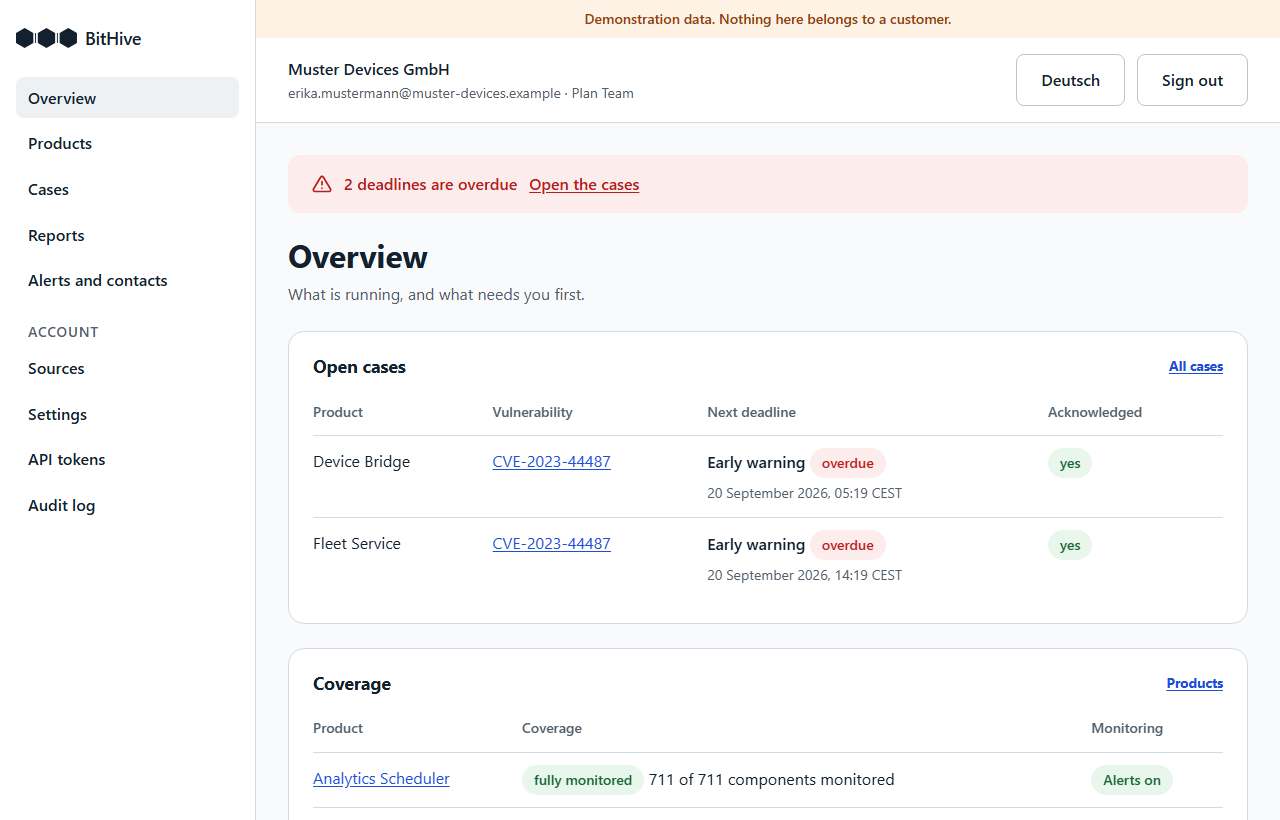
This guide takes you from the first sign-in to a product that is watched, with alerts that reach the right people and a build pipeline that keeps the bill of materials current. It takes about an hour, most of it in your pipeline.
What the Reporting Desk does, and what it does not
Under Article 14 of the Cyber Resilience Act, a manufacturer must report an actively exploited vulnerability in its product within 24 hours of becoming aware of it (early warning), 72 hours (notification), and 14 days after a fix is available (final report). A severe incident affecting a product's security has the same first two stages, and its final report is due one month after the notification.
The Reporting Desk:
- keeps the software bill of materials (SBOM) of each of your products;
- checks every component against public vulnerability data (OSV) and against the two public lists of vulnerabilities being actively exploited: CISA's Known Exploited Vulnerabilities catalogue and ENISA's EU Vulnerability Database;
- opens a case when a component of one of your products has a vulnerability either list names as exploited, runs its three deadlines, and alerts your contacts, escalating when nobody responds;
- drafts each report from what it knows, as text you copy into ENISA's Single Reporting Platform, and records when you submitted it.
It does not submit reports for you: the Single Reporting Platform takes submissions by hand, from you. It does not look at your source code or your firmware, only the component list you give it. And it can only watch what it can identify: components in the npm, PyPI, Maven, Go and NuGet ecosystems, with a package URL. Everything else is reported as not monitored, never as safe; the product's coverage says which components those are.
1. Sign in and accept the documents
Sign in with your work e-mail address. There is no password: you get a sign-in link by e-mail, which works once, for 10 minutes.
The first person of your company to sign in accepts the Terms of Service and the Data Processing Agreement on the company's behalf, and must be authorised to. Every person confirms once that they have read the privacy notice. The records name the version, where it is published, the time and the person, and cannot be changed. When a document changes, the new version is shown at the next sign-in; your API tokens keep working in the meantime.
2. Name the people alerts go to
Open Alerts and contacts. Add at least two people; watching a product needs two:
- a primary contact, who gets the first alert when a case opens;
- a backup, who is brought in when nobody has acknowledged the case two hours after its clock started.
Use addresses people read at short notice, not a shared inbox nobody owns. Alerts come
from alerts@bithive-it.com; add it to your mail filter's allowed senders.
Acknowledging tells the Reporting Desk that someone has the case in hand, and stops the escalation. Either open the case in the application, or press the button behind the link in the alert. The link works once, for seven days; opening it changes nothing, because mail filters open every link to check it, and only the button acknowledges. Acknowledging stops no deadline.
Webhooks, in every plan, are optional. Under the same page you can add an https
webhook, which receives every alert as JSON: a way into PagerDuty, Opsgenie or a ticket
system. Deliveries are signed as Standard Webhooks describes, with the secret shown once
when you add the webhook (it begins with whsec_); verify the signature before acting
on a delivery.
3. Add your products
Open Products and add each product you place on the EU market, under the name you would use in a report. Your plan includes a number of products (3, 10 or 25, or what your contract states); the page shows how many you have.
Then press Turn alerts on for each product. That needs the two contacts from step 2. Until alerts are on, nobody is told about the product's cases.
4. Upload a bill of materials
A bill of materials in CycloneDX or SPDX, as JSON, up to 10 MiB. Generate it in your build with an established open-source tool, for example:
syft dir:. -o cyclonedx-json > sbom.json      # Syft
cdxgen -o sbom.json .                         # cdxgen
Generate it from what you ship: the built artefact or its lockfiles, not a developer's checkout with test dependencies. The better the tool can see package URLs, the more of the product is watched.
The first time, upload it on the product's Bills of materials page. The product's Findings page shows, within seconds, which components have known vulnerabilities, which of those are being exploited, and the coverage: how many components are watched and which are not, and why.
5. Keep it current from your pipeline
Every release changes the component list, so upload from the pipeline that builds the
release. There is nothing to install: the pipeline calls the HTTPS API with curl.
- Open API tokens and create a token with the scope
sboms:write, limited to the product it uploads for, with an expiry (a year at most). The token is shown once; store it as a secret in your CI system, for exampleBITHIVE_TOKEN. - The product's identifier is in the address of its pages
(
/products/IDENTIFIER/findings). Store it asBITHIVE_PRODUCT. - After the build, generate the bill of materials and upload it:
curl --fail-with-body -sS -X POST \
  -H "Authorization: Bearer $BITHIVE_TOKEN" \
  -H "Content-Type: application/vnd.cyclonedx+json" \
  --data-binary @sbom.json \
  "https://app.bithive-it.com/v1/products/$BITHIVE_PRODUCT/sboms"
For an SPDX document, use Content-Type: application/spdx+json. The answer is 201 for
a new upload and 200 when the same document was uploaded before, which does nothing,
so a pipeline that runs twice is harmless. An error answers with a problem description
(RFC 9457) that says what is wrong, readable in the CI log.
In a GitHub Actions workflow, the same as a step after the build:
- name: Upload the bill of materials
  env:
    BITHIVE_TOKEN: ${{ secrets.BITHIVE_TOKEN }}
    BITHIVE_PRODUCT: ${{ vars.BITHIVE_PRODUCT }}
  run: |
    curl --fail-with-body -sS -X POST \
      -H "Authorization: Bearer $BITHIVE_TOKEN" \
      -H "Content-Type: application/vnd.cyclonedx+json" \
      --data-binary @sbom.json \
      "https://app.bithive-it.com/v1/products/$BITHIVE_PRODUCT/sboms"
In GitLab CI and Jenkins, run the same curl command in a job step, with the
token taken from a masked CI variable or a credential.
6. When a case opens
A case opens when a component of one of your products has a vulnerability that CISA or ENISA lists as actively exploited. That happens when the list names a vulnerability your components already have, within the hour, or when you upload a component that has one, at the list's next reading, also within the hour. Your primary contact gets an alert with a link to the case.
On the case page:
- The clocks. The 24-hour and 72-hour deadlines run from when you became aware, which starts as the moment the Reporting Desk recorded the case. If you knew earlier, move it earlier and say why; it can never move later. The final report's clock starts when you record that a fix is available.
- Reports. Each stage has a form with the fields Article 14 asks for, drafted from what the Reporting Desk knows and completed by you. It gives you the text to copy into the Single Reporting Platform. After you submit there, record the time here; the record cannot be changed.
- Who was told. Every alert, to whom, and whether it was delivered, so that a failed delivery is visible, not silent.
- Dismissing. If the finding does not apply, for example because the vulnerable code is not in what you ship, dismiss the case with the reason. It stays in the record.
A severe incident affecting your product's security, which nothing can detect for you, is recorded under Cases with Record a severe incident. It runs the same clocks and reports.
7. Your data, and taking it with you
Your data is stored and processed in Germany. Alerts are sent by e-mail through an EU provider. The Reporting Desk keeps the bills of materials you upload, the findings, cases, reports and the audit log of your account, which records every change with who made it and when.
You can take all of it at any time: Settings → Your data → Download everything gives you one archive with the account, every document as it arrived, the findings, the cases with their deadlines and reports, and the whole audit log. Section 6.3 of the Terms gives you this in every plan, and downloading it changes nothing in the service.
Help
Write to contact@bithive-it.com. If an alert did not reach you, or a case seems to be
missing, tell us at once: we treat it as an incident.